

Plesk
How to set up a Cron Job (Scheduled Task)
- 572
- por Net Asp Hosting - Support Blog
- Publicado 2/9/2021
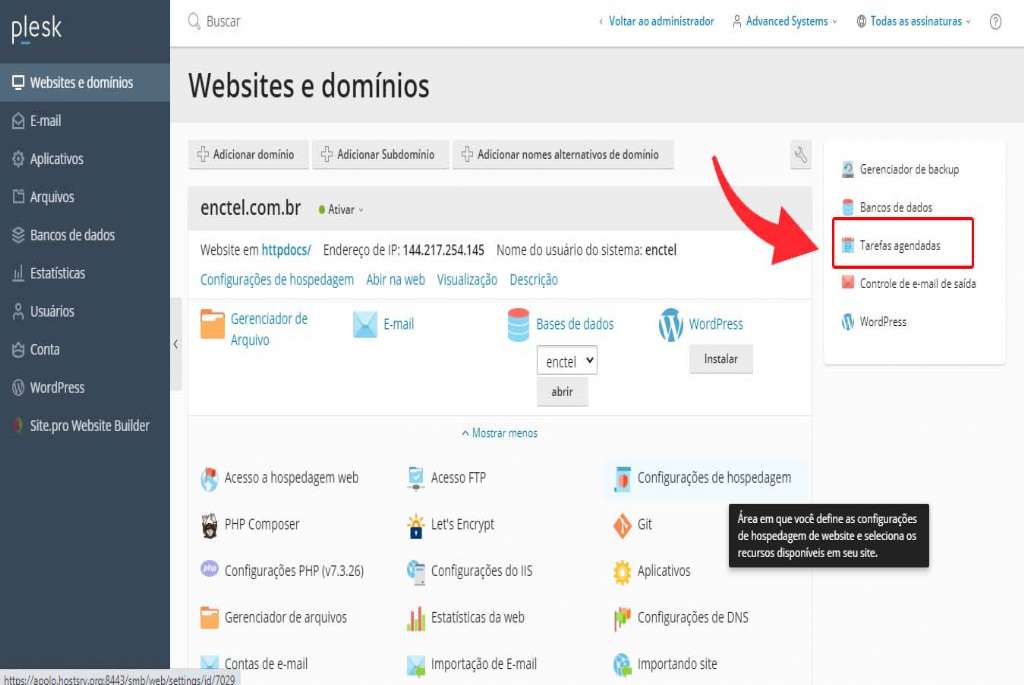
1). On the right side of the Websites & Domains section, click Scheduled Tasks
2). Click Add Task
3). In the Command field, enter the URL of the file that will execute the task
4). In the Run field, specify the execution schedule for the task
5). In the Description field, enter the task name
6). In the Notify field, indicate whether or not you want to be notified
7). Click OK to save